
SymWriter 2
Easy symbol writing for everyone

Writers of any ability can use SymWriter 2, a symbol word processor, to see the meaning of words as they type or input content from grids, supporting access to new or challenging vocabulary.
Free Trial Buy Now Watch VideoWriting tools for all abilities
Download now and join 1000's of teachers and professionals who use SymWriter 2 to remove literacy barriers and support their students writing composition.

Independent Writing
SymWriter 2's easy-to-use symbol word processor is the perfect tool to support emergent and/or reluctant writers.

Interactive Grids
100's of ready-made editable environments to assist recording communication and demonstrate learning.

Accessibility Options
Options including switch access make writing accessible to students who have difficulty using a keyboard to input text.
What can students do with SymWriter 2?
SymWriter 2's document writer and interactive grids can be used to support and develop students writing at all levels. Here are some popular examples of SymWriter 2 teaching materials used by the Widgit community:

Getting Started with Writing
Grids can support emergent / reluctant writers to begin writing independently by providing key words, phrases and sentence structure.

Recording Choices
Grid environments give students the ability to independently express and record both personal and academic choices in a written format.

Word Building
Grids with text-to-speech output can help students develop word building skills using phonics.

Sentence Building
Support students with EAL and students with speech and language impairments to construct grammatically correct sentences.

Advanced Writing
As writing skills develop students can use tools such as symbol spell check to self correct and text-to-speech to recite work.

Recording of Knowledge
Give students the ability to record curriculum knowledge in an easy accessible format.

Support Topic Work
Ready-made resources can support students to structure and give them the ability to produce written material on a given topic.

Audio Books
Grids with text-to-speech allow students to independently access traditional stories and encourage enjoyment of literature.

Classroom Materials
Use ready-made grids to support students recording of results from experiments / investigations with minimum writing required.
 See more ideas on Instagram
Writing with grids


The environment editor makes it easy for teachers or parents to create their own activities or to adapt an existing gird. Environments can be as simple or as complex as you like, from enabling users to build basic sentences and play simple games to creating whole documents, acting as an on-screen keyboard or as a powerful teaching aid for whiteboards.
Powerful design and layout features

Automatic Symbolisation
Copy and paste text from an existing project or websites and see it automatically symbolise.

Change Skin Tone
Change the skin tones of any Widgit Symbol to make your materials more personal.

Symbol Spell Check
Symbol supported spell check to encourage students to self correct errors.

Smart Symboliser
Automatic sentence analysis helps find suitable symbols for your text.

Speech Feedback
High quality speech feedback tools to encourage review and self correction of work.

Show Parts of Speech
Highlight verbs and nouns in different colours to aid sentence construction.

Custom Toolbars
Tailor and save the SymWriter 2 interface to meet the needs of individual students.

Add your own images
Add custom images from the machine or the web to personalise materials.

Network Friendly
Easily deploy across your network making material sharing and collaboration simple.
Purchasing Options:
Full program
| Installations | Price | Buy Online |
|---|---|---|
| Single installation | £149 | Add to Basket |
| 5 installations | £349 | Add to Basket |
| 10 installations | £499 | Add to Basket |
| 15 installations | £599 | Add to Basket |
| 20 installations | £649 | Add to Basket |
| 30 installations | £749 | Add to Basket |
| Site Licence - Unlimited Installations | £1589 | Add to Basket |
All prices are quoted ex VAT and without post and packing.
Licences are for installation on a single geographical location.
Widgit offers a variety of ways to place an order:
Online: Select from the options above
By Phone: 01926 333 680
By Email: orders@widgit.com
By Post: Mail orders to:
1st Floor, Bishops House, Artemis Drive, Tachbrook Park, Warwick, CV34 6UD, United Kingdom
Postage
| UK Orders Under £20 | £3.99 |
| UK Orders Over £20 | £5.99 |
| UK Next Day Delivery* | £6.99 |
| Saturday Delivery* | £10.99 |
| Europe Orders | £25.00 |
| Rest of World Orders | £35.00 |
*available on phone orders placed by 2pm
SymWriter 2 Add-ons
MFL Languages and additional symbol databases specially designed for use with SymWriter 2:
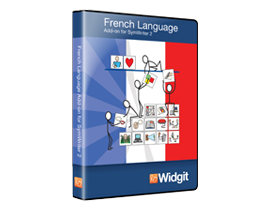 French Language
Support French teaching by using Widgit symbols with this add-on for SymWriter2.
 Makaton Signs & Symbols
Create your own Makaton printed materials with the complete collection of core vocabulary signs & symbols.
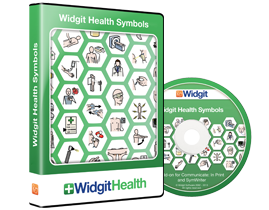 Widgit Health Symbols
A collection of symbols specifically designed for use in healthcare settings.